
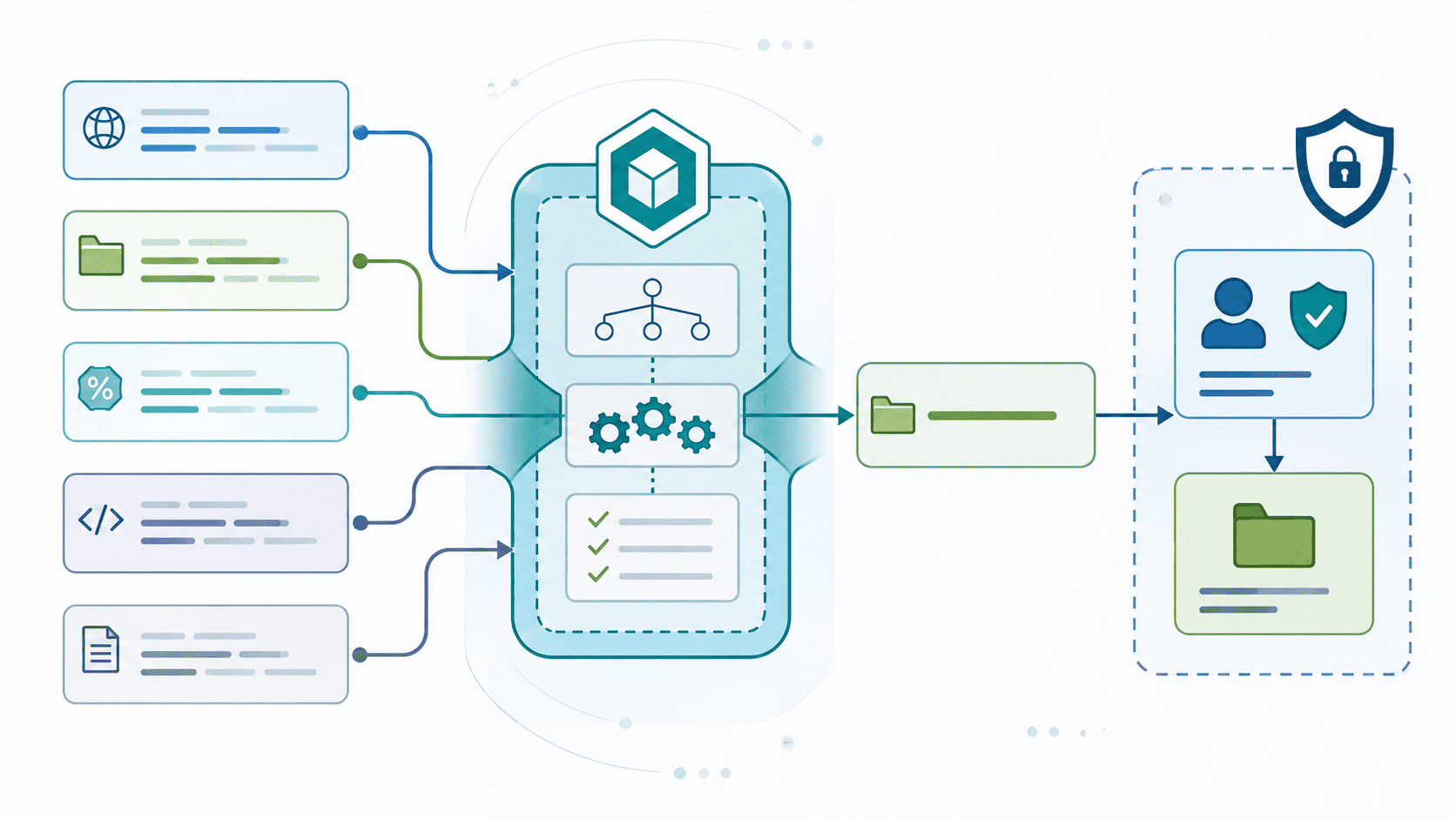

Canonicalization should turn equivalent input into one clear form before authorization, but it can’t replace the final security check. The application still needs to enforce access rules when it performs the requested resource operation.
Path handling is a common source of security bugs. Different representations of the same path can be interpreted in unexpected ways, which may let an attacker reach a resource that should stay restricted. MITRE continuously ranks CWE-22 (Improper Limitation of a Pathname to a Restricted Directory) near the top of its CWE Top 25 and CISA KEV lists, keeping path traversal a critical concern for software teams.
For Secure Coding Practices, normalize input early, then enforce the boundary again at access.
Keep reading for practical ways to avoid these mistakes.
Quick Reads: Secure Canonicalization Wins
- Secure Coding Practices gives us a practical starting point: parse the correct input type, normalize it predictably, and make security decisions after canonicalization.
- Canonicalization libraries remove ambiguity, but containment, authorization, and safe resource access determine whether the target is actually permitted.
- Single-pass decoding, structural path checks, malformed input rejection, and current dependencies reduce common encoding bypasses and parser differential vulnerabilities.
What Does Secure Canonicalization Actually Mean?
Secure canonicalization is a simple idea. You take a messy input and turn it into one clean, trusted version. That process, known as input canonicalization, lets you check the resulting value against your security rules. You don’t check the messy version, you check the clean one.
We teach this early in our bootcamp. A lot of students want to memorize a function name and move on. But the order you do things matters more than the name. First you read or decode the input, just one time. Then you clean it up. Then you check it against your rules. Only after that do you actually use it. OWASP says the same thing: cleaning up input is just one part of handling it safely. It doesn’t replace checking permissions.
How Encoding Tricks Work?
Here’s an example of how messy input can hide malicious intent:
- Raw path traversal: The path ../../etc/passwd can point directly to a dangerous file.
- Encoded path traversal: An encoded version of that same path can point to the exact same file once something decodes it later.
- Widespread impact: We see this same trick in a lot of places, it shows up in Unicode text, in URLs, in file names inside zip files, and in hostnames.
The Parser Consistency Problem
When we review code that parses input, we usually find the danger in one spot:
- The Check: One part of the code checks a value in its current form.
- The Resolution: A different part of the code reads that same value in a different way later on.
- The Mismatch: Those two parts don’t agree on what the input actually means.
That discrepancy is where bugs happen. We call this a parser consistency problem. Once you learn to spot it, you start seeing it everywhere.
Four Distinct Operational Jobs
This breaks down into four separate jobs. Mixing them up is where most mistakes come from:
| Operation | What it handles | What it does not guarantee |
| Lexical normalization | . segments, .. segments, repeated separators | Trusted filesystem containment |
| Absolute resolution | Relative paths against a base | Symlink safety |
| Real-path resolution | Existing targets and symbolic links | Race-free access |
| Authorization | Whether a resolved target is allowed | Safe resource creation by itself |
A few things need to line up for this to work. OWASP’s guidance, MITRE’s CWE list, your programming language’s built-in functions, how your filesystem actually behaves, and whatever code reads the value at the very end. A cleanup library can give you a tidy value. But your app still needs to check that value carefully and confirm the user is allowed to access it. Skip that step, and even a “clean” path can still cause damage.
Want more background on this? Check out understanding input canonicalization to learn more about OWASP’s Secure Coding Practices.
Why Does “Remove ../” Fail?
Here’s the problem. An attacker doesn’t need to change what a path points to. They just need to change how it looks on the page.
Say your filter only blocks the text ../. That’s easy to get around. The filter might miss encoded versions, backslashes instead of slashes, full paths starting from the root, or double encoding. OWASP and MITRE’s CWE-23 both say the same thing here: blocking a few characters is never enough on its own.
Look at how different these can look, even though some of them mean the same thing:
- ../etc/passwd
- %2e%2e%2fetc%2fpasswd
- ..\etc\passwd
- A path encoded twice, which only becomes dangerous after it gets decoded a second time
The safer approach is to pick one clear order for decoding and let one trusted part of your code own that job. That means you don’t want a gateway decoding the input, then your app decoding it again, then your filesystem doing its own decoding on top of that. Every extra decoding step is a chance for the meaning to change without anyone noticing.
This is why cleaning up input before you check it has to go together with decoding just once. Whatever your security check looks at needs to match exactly what the final code will actually use.
But cleaning up a path doesn’t mean the user is allowed to go there. A path can be perfectly cleaned up and still point somewhere that the user should never reach. So after canonicalization is done, there’s still one more question to ask. And it’s a different question entirely.
Canonicalization Is Not the Same as Containment
Canonicalization and containment address fundamentally different security questions. Canonicalization determines the real target file or folder an input points to. Containment verifies whether that canonicalized target resides safely inside a trusted parent directory. Confusing the two opens the door to path traversal and authorization bypasses.
The Danger of Text-Based Prefix Checks
A classic security mistake relies on basic string comparisons to test containment. Path checks must operate on path components rather than raw character streams.
- The Prefix Trap: The directory /srv/reports-private begins with the exact characters of /srv/reports. A naive startsWith() text check marks it as valid even though it points to an entirely different, highly sensitive directory.
- Component-Aware Verification: Safe path validation evaluates boundary separators explicitly (/srv/reports/ vs /srv/reports-private).
- Symmetric Resolution: Always apply the exact same canonicalization logic to both the trusted base directory and the user-supplied input path before evaluating containment.
The following table summarizes the key questions addressed during path handling:
| Check | Security question answered |
| normalize() or lexical cleanup | What does the path look like syntactically? |
| Real-path or symlink-aware resolution | What existing resource does it identify? |
| Component-aware comparison | Does the target remain under the trusted root? |
| Authorization | Is this caller allowed to use that target? |
Language-Specific Containment Implementations
Modern frameworks and runtimes supply built-in path utilities so you don’t have to compare raw strings by hand.
Java
- Convert raw strings to Path objects.
- Resolve real paths using Path.toRealPath().
- Validate containment via Path.startsWith() (which operates on path components, not raw characters).
Python
- Resolve symlinks and relative references using Path.resolve().
- Use Path.relative_to() inside a try…except ValueError block.
- If relative_to() raises an error, the target lies outside the trusted directory.
Go
- Clean lexically with filepath.Clean().
- Evaluate relative positioning using filepath.Rel(basePath, targetPath).
- Inspect the returned relative string to ensure it does not start with .. or attempt a directory escape.
.NET
- Canonicalize paths using platform-aware rules (Path.GetFullPath()).
- Verify containment using string prefix checks only after appending the proper directory separator character (Path.DirectorySeparatorChar).
Normalization cleans up the path syntax, but it doesn’t make the security decision for you. You must always canonicalize first, then explicitly verify component-aware containment.
Which Canonicalization Library Operations Should Developers Trust?
Developers should rely on built-in canonicalization functions to handle complex string parsing, but they must treat lexical operations and filesystem-aware operations as two entirely distinct controls.
No single path operation acts as a complete access boundary on its own.
The Dual-Layer Canonicalization Standard
To prevent path traversal, symlink bypasses, and access control flaws, match your defense to how each engine evaluates inputs.
Lexical Normalization vs. Filesystem Resolution
- Lexical Operations (path.resolve(), filepath.Clean(), normalize()): Perform purely string-based cleanups. They strip . and .. segments, collapse duplicate slashes, and format root prefixes. They do not query disk state, resolve symlinks, or verify target existence.
- Filesystem-Aware Operations (fs.realpath(), EvalSymlinks(), toRealPath()): Query the underlying OS. They resolve all symbolic links, map canonical case sensitivity, and evaluate hard points on disk.
- The Security Boundary Mistake: Applying a lexical cleanup and immediately feeding the result to an access control check creates a bypass window. An attacker can use symlinks or non-existent path suffixes to pass the lexical check while pointing to a restricted target.
| Ecosystem | Lexical or Absolute Operation | Filesystem-Aware Operation | Main Limitation |
| Java | normalize() | toRealPath() | Lexical normalization does not inspect the filesystem. |
| Python | Path composition | Path.resolve() | Target-existence behavior must match the use case. |
| Node.js | path.resolve() | fs.realpath() | Lexical resolution alone is not a symlink defense. |
| Go | filepath.Clean() | EvalSymlinks() | Clean() is purely lexical. |
| .NET | Path.GetFullPath() | Additional filesystem handling | Full path generation does not provide authorization. |
Implementation Rules for Secure Path Handling
Relying solely on library path functions leaves gaps in authorization and validation. Implement a multi-layered defense to keep file operations secure.
Defensive Design Checklist
- Combine Resolution with Allowlisting: Always resolve the path to its absolute, canonical form first. Then, explicitly check if it starts with your intended base directory (e.g., canonicalPath.startsWith(allowedBaseDir)).
- Handle Missing Targets Intentionality: Functions like Python’s Path.resolve() or Node’s fs.realpath can behave differently or throw errors when a target file does not yet exist. Decide explicitly how your application handles non-existent paths before performing security checks.
- Separate Path Normalization from Authorization: Never assume a clean path implies permission. Canonicalization only tells you where a file lives; your application logic must still enforce who is allowed to access it.
How Should Secure Libraries Handle Decoding and Encoding?
Decoding and encoding vulnerabilities happen when different components in a pipeline interpret or transform input at different times. If canonicalization doesn’t happen in a strict, predictable order, validation checks become useless because the data changes after it was already marked safe.
The Core Problem: Multi-Layer Decoding Traps
Security filters often validate input against signatures (like ../ or <script>) before the application fully decodes it. When data passes through proxies, web application firewalls (WAFs), microservices, and web frameworks, each layer might apply its own decoding pass.
- Single Percent-Encoding: %2e%2e%2f bypasses naive string matching for ../, then gets decoded into a path traversal by the underlying file system handler.
- Double Encoding: %252e%252e%252f turns into %2e%2e%2f after the API gateway decodes it, passing through the authorization check cleanly before the final application handler decodes it a second time into ../.
- Mismatched Decoders: A proxy may parse %2F as a literal slash character while the backend framework treats it as a path separator, leading to routing confusion and permission bypasses.
A Defensible Decoding Policy
To eliminate double-decoding and bypass vulnerabilities, secure libraries must enforce a strict, single-ownership model for input handling.
- Define Single-Pass Ownership: Establish exactly one boundary component responsible for decoding input. Once decoded, pass the value down the stack as an immutable typed object, not a raw string.
- Grammar-Based Parsing: Parse input directly using the explicit grammar for that data type. Immediately reject malformed percent-encodings, truncated hex pairs, or out-of-spec byte sequences.
- Canonicalize Before Authorization: Convert the input to its simplest, definitive internal representation before passing it to access control, path construction, or database logic.
- Reject Unexpected Encodings: Block non-standard or alternative encodings (such as overlong UTF-8 byte sequences or encoded slashes %2F) if the application policy does not explicitly require them.
- Lock Down Downstream Layers: Ensure internal frameworks and downstream utilities do not re-encode or re-decode values implicitly during logging, routing, or serialization.
Unicode Normalization and Character Equivalent Hazards
Unicode handling introduces subtle equivalence issues that simple string comparisons miss. Without explicit normalization, two distinct byte sequences can visually represent the exact same character or resolve to the same underlying system handle.
Choosing the Right Normalization Form
Picking a normalization form shouldn’t be a guess:
- NFC (Canonical Decomposition, followed by Canonical Composition): Combines characters into precomposed forms without stripping formatting distinctions. This is the standard choice for identifiers, filenames, and user accounts.
- NFKC (Compatibility Decomposition, followed by Canonical Composition): Converts visually or functionally similar characters (like superscript digits, full-width characters, or ligature symbols) into standard equivalents.
Use NFC by default for identity and path preservation. Use NFKC carefully, while it catches look-alike characters, it lossily transforms input and can create unexpected collisions if applied unevenly.
Safe String Comparison Strategies
Comparison logic needs strict consistency across the entire codebase:
- Use Case Folding, Not Lowercasing: For case-insensitive checks, use Unicode Case Folding rather than locale-dependent upper/lowercasing (e.g., handling the Turkish ‘i’ correctly).
- Guarding Against Homoglyphs: Script-mixing checks should restrict inputs for critical accounts or domain handles to single alphabets, preventing spoofing via visually identical Cyrillic or Greek characters.
- Enforce Stable Internal IDs: Avoid using user-supplied names or display labels for authorization lookups. Bind permissions exclusively to immutable, generated keys (such as UUIDs or integer primary keys) so string transformation quirks cannot alter access decisions.
How Should Libraries Canonicalize Filesystem Paths?

We tell every student in our bootcamp the same rule. Don’t write your own code to clean up file paths. Use the path tools your programming language already gives you. And check that a file is really inside the folder it’s supposed to be in, not by guessing with regex, not by swapping characters around, not by just checking if one string starts with another.
The best method we’ve found works like this. Take the trusted folder and the path someone gave you, resolve both the same way, then check if the second one actually sits inside the first. This beats just deleting “..” from a path and hoping that’s enough. We’ve seen students try that shortcut in class exercises. It almost never holds up.
A good way to handle paths usually follows four steps:
- Figure out what kind of input this is supposed to be, a filename, a relative path, or something else.
- Turn away anything you don’t actually need, like full paths starting from the root, or strange slash characters.
- Clean up or resolve the path the right way for that type of input.
- Check, piece by piece, that the final path is still inside the folder it should be in, before you touch the file.
That first step matters more than people think. Say your upload feature only needs a filename that your own server creates. If you let users send you a whole path instead, you’re opening a door you didn’t need to open.
This is where we spend a lot of time in our training. Picking simpler, narrower types of input, instead of trying to filter out every trick an attacker might try. In our own experience, it’s much easier to give someone a simple ID number that maps to a filename your server controls, than to try to lock down messy path text from users. It’s easier to test too. That matters a lot when you’re teaching this stuff.
Path canonicalization, path normalization, blocking directory traversal, checking resource names. All of it works better when your app only accepts the exact kind of input it needs. Nothing extra.
Why Are Symlinks and TOCTOU Races Still Dangerous?
That gap between check and action, the TOCTOU (Time of Check to Time of Use) window, is one of the most persistent classes of vulnerabilities in system-level software. It remains dangerous because developers routinely fall back on string-based path thinking rather than handle-based filesystem operations.
Path strings are just hints; the underlying directory graph can be mutated underneath your process at any microsecond.
Anatomy of a Symlink TOCTOU Attack
When an application works with full path strings like /var/app/uploads/user_1/file.txt, it relies on the kernel resolving each directory component sequentially. An attacker with local filesystem access abuses this multi-step resolution.
[ App checks path ] [ Attacker swaps directory ] [ App opens path ]
┌───────────────────────────────┐ ┌───────────────────────────────┐ ┌───────────────────────────────┐
│ stat(“/app/uploads/a/file”) │ ───> │ rmdir /app/uploads/a │ ──> │ open(“/app/uploads/a/file”) │
│ (Validates target) │ │ ln -s /etc /app/uploads/a │ │ (Opens /etc/file!) │
└───────────────────────────────┘ ┌───────────────────────────────┐ └───────────────────────────────┘
- Phase 1 (The Check): The application calls lstat() or runs custom path-sanitization logic on /var/app/uploads/a/report.txt. The system confirms /a/ is a normal directory owned by an unprivileged user.
- Phase 2 (The Swap): In the microsecond window before the next syscall, the attacker replaces directory a with a symbolic link pointing to /etc/ or /root/.
- Phase 3 (The Use): The application calls open(“/var/app/uploads/a/report.txt”, O_WRONLY). The kernel traverses uploads, hits the new symlink a, redirects into /etc/, and truncates or overwrites sensitive targets as a privileged process.
To close the race condition window completely, code must pivot away from string re-evaluation to atomic operations and open file descriptors.
Data from util-linux demonstrates
“The following protections are absent from the vulnerable code path: O_NOFOLLOW is not used in the open() call, allowing symlink following as root; No inode comparison (dev_t + ino_t) is performed between the Phase 1 validation and the Phase 2 open; No fstat() post-open to verify the opened file matches what was validated; No lstat() to detect symlink substitution before opening.” – util-linux
Handle-Based Traversal (*at System Calls)
Instead of passing full path strings to functions like open() or stat(), modern APIs operate relative to directory file descriptors:
- openat() & fstatat(): Open a parent directory once using O_DIRECTORY | O_PATH, obtaining a secure descriptor (dir_fd). Perform all subsequent operations relative to dir_fd using openat(dir_fd, “filename”, …).
- Path Pinning: By holding an open file descriptor to the parent directory, replacing or renaming parent paths above it on the filesystem will not re-route your file operations.
Strict Atomic Flags
The kernel provides flags specifically designed to enforce intent during file access:
- O_NOFOLLOW: Fails the open() call immediately if the final path component is a symbolic link.
- O_CREAT | O_EXCL: Guarantees atomic file creation. If the file or link already exists, even if created a nanosecond prior by an attacker, the call fails instead of opening or following it.
- O_CLOEXEC: Prevents file descriptors from leaking to untrusted child processes after an execve.
Post-Open Verification
If you must inspect a file before trusting its contents:
- Never check with stat() and then call open().
- Open first, then run fstat() directly on the resulting file descriptor (fd).
- Compare the dev_t (device ID) and ino_t (inode number) to your expected parameters to confirm the handle points to the intended physical object on disk.
Safely Creating New Files in Unsafe Directories
Creating a new file safely requires a distinct approach because a target inode does not exist yet to validate.
- Validate the Parent: Open and pin the target parent directory using openat() with O_DIRECTORY. Use fstat() on the parent directory’s descriptor to verify ownership and permissions.
- Create Atomically: Issue openat(parent_fd, “newfile.txt”, O_WRONLY | O_CREAT | O_EXCL | O_NOFOLLOW, 0600).
- Handle Existing File Errors: If the call returns EEXIST, treat it as an explicit failure or security event rather than trying to fall back to an overwrite mode.
Path-sanitization libraries only validate string syntax, they cannot freeze time. Real mitigation relies entirely on leveraging kernel-level atomic primitives and handle-based APIs.
.
How Should Libraries Canonicalize URLs Separately From Filesystem Paths?

We say this constantly in our training. A URL is not the same thing as a file path. Treating them the same way is how SSRF bugs slip into production.
Handling URLs safely starts with fully parsing them before applying any rules. Groups like OWASP and MITRE, along with basically every serious URL parser, treat the scheme, host, port, path, query, and user info as separate pieces, each with its own rules. Manually swapping characters or decoding parts of a URL by hand is a fast way to create mismatches between what your app thinks a URL means and where it actually leads.
Start by deciding exactly which parts of a URL you’re willing to accept. For example, a service that only makes outbound HTTPS calls shouldn’t trust a hostname just because it looks familiar at first glance.
A solid URL policy usually checks things like:
- The scheme, through scheme normalization
- The host, through hostname normalization
- The port, through a clear allowlist
- User info, which most security focused systems should just reject
- Redirect targets, checked again every time they change
- Query parameters, handled based on what your app actually needs
- IP addresses, using clear IPv4 and IPv6 normalization rules
International domain names add even more complexity. Things like punycode conversion, IDN canonicalization, and Unicode equivalence can all affect whether two hostnames that look different actually point to the same place. Or the other way around.
For stopping SSRF attacks and validating redirects, we believe the library’s job is to hand your app a cleanly parsed destination. The actual policy decision belongs to your application, after all the necessary conversions have happened. Just comparing raw hostname text isn’t enough once DNS lookups, different IP formats, or redirects can change where a request really ends up.
One last thing worth saying plainly. URL cleanup shouldn’t automatically remove every extra slash or strip out every part of the path. We’ve seen firsthand how these small changes can quietly point a request at a completely different resource once proxies, object storage, routers, and different origins get involved. That’s exactly why teams need a clear, written normalization policy. Not just assumptions.
How Should Libraries Handle Unicode and Internationalized Identifiers?
Handling Unicode and internationalized identifiers safely requires treating visual identity and binary identity as two entirely separate concepts. When systems rely on human-readable text for security decisions, they invite homograph attacks, database fragmentation, and authorization bypasses.
Here is how libraries and core systems should architect identifier handling from ingress to storage.
The Identifier Pipeline: Ingress to Storage
To prevent subtle text variants from corrupting downstream logic, process all external Unicode identifiers through a strict, single-pass pipeline at your system boundaries.
- Validate UTF-8 Encoding Direct at Ingress: Reject malformed byte sequences, truncated multi-byte characters, or overlong encodings immediately. Never attempt to “repair” broken byte streams.
- Apply a Standard Normalization Form Early: Standardize on NFC (Canonical Composition) for general compatibility, or NFKC (Compatibility Composition) when strict canonical equivalency across legacy character variants is required.
- Execute Case Folding Consistently: Use Unicode Case Folding (default or full) rather than simple lowercase conversions (e.g., standard toLower()) to ensure characters like the German ß correctly match ss.
- Filter for Visual Confusables and Script Consistency: Detect homoglyphs (such as Cyrillic ‘а’ vs. Latin ‘a’) using UTS #39 guidelines. Enforce single-script constraints or restrict allowed Unicode blocks for high-risk fields.
- Emit a Clean Identifier to Internal Services: Store and pass around only the normalized byte string. Downstream components must never re-interpret or re-normalize raw user input.
+—————-+ +——————+ +——————-+ +——————-+
| Raw Byte | —> | Validate Encoding| —> | Apply Normalization| —> | Homoglyph / Script| —> Internal
| Input Stream | | (Reject Bad UTF8)| | (NFC or NFKC) | | Filtering (UTS39) | Storage
+—————-+ +——————+ +——————-+ +——————-+
Choosing the Right Normalization Strategy
Different domains carry different operational requirements. Standardizing every string with the same hammer creates compatibility breakage in some systems and security gaps in others.
| Domain / Use Case | Recommended Normalization | Primary Risk Factor | Key Architectural Rule |
| Usernames & Accounts | NFKC + Case Folding | Homograph spoofing, multi-account creation | Enforce strict script boundaries; pair display names with internal IDs. |
| Hostnames & Domains | IDNA2008 (Punycode) | DNS spoofing, phishing | Convert non-ASCII domains to xn-- Punycode before resolution. |
| Filenames & File Paths | Preservation / Target OS native | Filesystem fragmentation, path traversal | Avoid altering raw paths on disk; validate paths against strict allowed sets. |
| Security Labels & Roles | ASCII Enums / Fixed Keys | Authorization bypass | Never use internationalized user strings as permission flags or role identifiers. |
Decoupling Human Names from System Logic
The most effective defense against Unicode identifier traps is reducing structural reliance on human-readable strings for critical decisions.
- Use Machine-Generated Unique Identifiers (UUIDs/ULIDs): Assign immutable, internal IDs (such as UUIDv4, ULID, or sequential integers) for primary keys, database foreign keys, and internal authorization tokens.
- Treat Usernames as Display Metadata: Map normalized human-readable identifiers to fixed internal numeric/UUID keys. Perform permission checks exclusively against internal keys.
- Never Trust Normalization for Sanitization: Normalization ensures string consistency; it does not sanitize input. Always feed the normalized output into context-specific security filters (such as HTML escaping, SQL parameterization, or path traversal checks).
Normalization hands you one clean, predictable version of a text string so your authorization layers and database indexes actually have a solid baseline to compare. It validates identity, not safety.
How Should Archive Entries and Resource Names Be Validated?
Every file name inside a zip or archive should be treated like it might be dangerous, because sometimes it is. Before your code writes anything to disk, it needs to check, carefully, where that file is actually going to land.
Security researchers, bug databases, and real-world incident reports continuously point to the same issue: a file name inside an archive can carry path tricks that let it escape the folder it’s supposed to stay in. While commonly called Zip Slip, it is fundamentally a path traversal vulnerability embedded within archive entry metadata.
The Core Unpacking Safety Checklist
Don’t treat “reject weird file names” as an afterthought. If your application expects a simple file name, reject anything with strange path symbols right from the start.
- Decode explicitly: Read the file name using the encoding rules the specific archive format actually expects (e.g., UTF-8 vs. code pages).
- Deny bad patterns early: Instantly reject null bytes (\0), absolute paths (/etc/passwd or C:\…), and raw traversal sequences (../).
- Resolve target paths: Resolve both your target output directory and the incoming archive path to their canonical absolute paths before writing.
- Verify containment: Check that the resolved file path strictly begins with the target directory path prefix.
- Isolate special types: Handle shortcuts, symbolic links, and hard links under distinct security rules, or block them entirely.
- Safe write operations: Open files for writing without following existing links to prevent time-of-check to time-of-live-use (TOCTOU) race conditions.
Why Cleaning Paths After the Fact Fails?
A massive point of failure in custom unpacking code is attempting to “sanitize” a bad path rather than rejecting it outright. Accepting a messy, wide-open path and stripping out ../ or invalid characters leads directly to canonicalization bypasses.
Common Sanitization Pitfalls
- Recursive Traversal: Stripping ../ sequentially from ….// can inadvertently reconstitute a valid ../ sequence.
- Encoding Tricks: Decoding paths only once allows double-encoded or alternate encoding tricks (%252e%252e%252f) to bypass basic regex filters.
- OS Divergence: Sanitizing on a Linux host for an archive that might end up unpacked on Windows ignores platform-specific path separators (\ vs /) and reserved device names (CON, NUL, PRN).
Rejecting bad input outright prevents these subtle edge cases from slipping past your cleaning logic.
Beyond Archives: Validating Resource Names Everywhere
This same validation philosophy applies anywhere users or API callers supply a file or resource name. If a form field, parameter, or header is only meant to hold a standard name, it shouldn’t quietly accept slashes, encoded slashes, or binary control characters.
Practical Steps for Input Fields
- Apply an Allowlist: Restrict accepted characters strictly to what your app needs (for instance, alphanumeric characters, underscores, hyphens, and a single extension dot).
- Enforce Structural Constraints: Disallow leading/trailing dots or spaces, which behave unpredictably across different operating systems.
- Validate Length Limits: Set hard constraints on filename length to prevent long-path buffer issues or storage denial-of-service.
Strict validation works best when it matches exactly what your application actually needs, nothing extra. That makes the rules easier to set up, significantly harder to bypass, and much simpler to test.
Why Do Parser Differences Create Security Bypasses?

Parser differentials are among the most persistent architectural flaws in modern web security. They exist because software architecture is rarely a monolith; it is a pipeline of distinct engines (proxies, web application firewalls, language runtimes, and operating systems) that each implement specification grammars differently.
When two engines disagree on how to interpret an edge-case sequence in a stream of bytes, security boundaries collapse.
Why Parser Differences Create Security Bypasses?
When a request travels through an enterprise application stack, each layer acts as a semantic filter. The security model relies on the assumption that if Layer A approves a payload, Layer B will process the exact same payload. Parser differentials break this assumption.
An attacker constructs an ambiguous payload that is interpreted safely by the security proxy (Layer A), but executes maliciously when passed to the application runtime (Layer B).
Research from arXiv shows
“Cybersecurity pipelines are ordered machines: an edge proxy observes source and size classes before an HTTP framer reconciles request-boundary evidence; a canonicalizer rewrites syntax before an application parser assigns route classes; identity middleware reconstructs sessions before behavior analytics assigns low-and-slow or credential-abuse markers; a policy engine decides only over the evidence that survived the preceding chain. This order is semantic, and request smuggling is the proof that it is.” – arXiv
Core Mechanisms of Parser Bypasses
- Grammar Ambiguity: Specifications like HTTP/1.1 (RFC 7230) or URI syntax (RFC 3986) are complex. Different parsers implement strict vs. lenient interpretation modes. For example, if a request contains both a Content-Length and a Transfer-Encoding: chunked header, a front-end proxy might prioritize Content-Length while the backend application prioritizes chunked, enabling HTTP Request Smuggling.
- Decoding Order Discrepancies: If a proxy decodes URL-encoded input once (%252e%252e%252f → %2e%2e%2f) and determines it is safe, but the backend application framework automatically URL-decodes a second time (%2e%2e%2f → ../), path traversal checks are completely bypassed.
- Null Byte & Truncation Vulnerabilities: Higher-level languages (like Python or Node.js) may treat null bytes (\0) as valid string data, while underlying C libraries or OS file systems read \0 as a string terminator. A request for file.php\0.jpg passes a .jpg allowlist check in the framework, but reads file.php at the filesystem layer.
- Character Normalization Mismatches: Unicode normalization (e.g., NFKC) can map visually distinct characters to ASCII equivalents. If canonicalization happens after an authorization check, ADMİ N (with a Turkish dotted ‘İ’) might pass an string equality check against ADMIN, but normalize to ADMIN inside the identity subsystem.
The Distributed Pipeline Problem
Consider the dangerous sequence outlined in your curriculum:
$$\text{filter} \longrightarrow \text{proxy decode} \longrightarrow \text{application decode} \longrightarrow \text{library normalize} \longrightarrow \text{resource access}$$
Every boundary between these stages introduces semantic drift. The effective payload changes shape at each hop, rendering the initial security filter completely blind to the ultimate execution context.
How Can Secure Coding Practices Guide Canonicalization?
Canonicalization is the process of reducing input with multiple possible representations down to a single, standard “canonical” form before processing it. Understanding why validating input after canonicalization is important ensures that sanitization cannot be bypassed by multi-pass encoding tricks. To prevent parser differentials, canonicalization must be deterministic, centralized, and strictly ordered relative to validation and authorization checks.
Strategic Imperatives for Canonical Pipeline Design
- Decode First, Validate Second: Never execute allowlist or blocklist validation on raw or partially decoded data. Standardize the data into its ultimate representation before performing any security decisions.
- Enforce Single-Pass Normalization: Apply transformations strictly once. If an input requires multiple decoding passes to reach a stable state, treat it as malformed and drop the request immediately.
- Centralize Interpretation in a “Single Hardened Function”: Eliminate inline string parsing across handlers. All resource routing must pass through a single, audited choke-point function that handles canonicalization and authorization in lockstep.
- Perform Strict Allowlist Matching: Reject inputs that contain unexpected encodings, control characters, or alternate character sets rather than trying to sanitize them.
- Decouple User Input from Resource Identifiers: Replace direct path manipulation or arbitrary string parameters with server-controlled mappings (such as UUIDs, database keys, or opaque tokens).
The Standard Secure Processing Sequence
To eliminate the gap between what your code checks and what it executes, enforce a strict execution hierarchy for all incoming input:
[ Raw Bytes ]
│
▼
1. Strict Parsing (Fail fast on malformed grammar)
│
▼
2. Canonicalization (Single-pass decode & normalize to internal form)
│
▼
3. Allowlist Validation (Verify payload meets expected schema/type)
│
▼
4. Authorization Check (Verify access against canonical context)
│
▼
5. Safe Execution (Perform action using safe/parameterized APIs)
Practical Implementation Rules
- Use Purpose-Built Libraries: Avoid writing custom regex or string-replacement logic for path handling or URL parsing. Use native language primitives that interact directly with the OS/runtime environment (e.g., os.path.resolve or Java’s java.nio.file.Path.normalize()).
- Canonicalize Against the Control Source: Ensure that authorization rules are evaluated against the resolved canonical string, not the user-supplied string parameter.
- Audit the Full Stack Flow: Document the exact order of encodings, escapes, and transformations across every proxy, middleware, and application library in the environment. Test these pipelines using fuzzing tools that inject mixed-encoding, null-byte, and multi-byte Unicode vectors.
By reducing input handling to a predictable, single-pass pipeline, systems remove the ambiguity that malicious actors rely on to bypass edge defenses.
Why Do Library Versions and Dependency Security Matter?
Credits: MickeyGousset
A canonicalization library can have its own bugs. Dependency management is part of the security boundary, not a separate chore.
In CVE-2026-6321, a high-severity flaw in fast-uri,improper processing of percent-encoded dot-segments bypassed path-based security checks. Careful application code gets easily undone by a shaky underlying library.
A thorough security review checks:
- Invocation patterns: How the application actually calls the library.
- Runtime state: Which exact version is currently running in production.
Dependency Management Recommendations
- Track advisories: Monitor security notices for parsing and canonicalization libraries.
- Apply tested patches: Update using a structured patching process rather than updating on a whim.
- Inspect transitive dependencies: Remember that parsers often hide deep inside the software stack.
- Test post-upgrade behavior: Normalization rules can change between versions.
- Retire custom parsers: Drop custom parsing code once a maintained library covers the exact same job.
Don’t upgrade blindly. A parser update can alter how it handles bad input, encoded slashes, Unicode, or relative paths. Run regression tests after every upgrade to ensure the new version still aligns with your app’s security rules.
Hands-on practice matters here. A patch might fix a reported bug, but it can also break an implicit assumption an older part of your code relied on. Test the entire chain from start to finish, not just the single component that changed.
How Should Teams Test Canonicalization Libraries?
Good testing verifies whether different representations of the same input reach the exact same access decision. It’s not enough for a function to simply return an expected string.
OWASP, MITRE’s CWE list, language documentation, and security engineers all point to one priority: test the boundary between how input is read and how it is used to access a resource. Path traversal (CWE-22) remains a leading driver of real-world exploitation in CISA’s Known Exploited Vulnerabilities (KEV) catalog and MITRE metrics. Path handling continues to be an active, high-risk threat vector.
Your test suite must include explicitly broken input alongside clean edge cases.
Core Test Scenarios
- Encoding & Traversal: Raw/percent-encoded traversal, nested/double-encoded input, and encoded slash handling (%2F, %5C).
- Path Resolution: Absolute and drive-relative paths, different path separators (/ vs \), removing dot-segments (. and ..), and relative path resolution.
- System & File Structure: Symbolic link resolution, case sensitivity differences, and parser behavior mismatches between libraries.
- Input Validation: Unicode lookalike strings, invalid character rejection, redirect chains, and hostname changes.
- Concurrency: Race conditions between checking and using a resource (TOCTOU).
Tests must validate the actual security outcome, not just the cleaned-up output string. A path can look completely benign and still resolve to an unauthorized location.
Real-World Validation Techniques
- Sibling Directory Checks: Test a sibling folder with a similar-looking name (e.g., /app/user-data vs /app/user-data-secrets) to ensure it cannot bypass a containment check.
- Symlink Escapes: Send paths through symbolic links to confirm they cannot escape the trusted root directory within your actual deployment setup.
Not every race condition can be caught with string tests alone. Some require integration testing and, where available, safer handle-based or kernel-level file operations.
How Should Teams Test Canonicalization Libraries?

Good testing verifies whether different representations of the same input reach the exact same access decision. It’s not enough for a function to simply return an expected string.
OWASP, MITRE’s CWE list, language documentation, and security engineers all point to one priority: test the boundary between how input is read and how it is used to access a resource. Path traversal (CWE-22) remains a leading driver of real-world exploitation in CISA’s Known Exploited Vulnerabilities (KEV) catalog and MITRE metrics. Path handling continues to be an active, high-risk threat vector.
Your test suite must include explicitly broken input alongside clean edge cases.
Core Test Scenarios
- Encoding & Traversal: Raw/percent-encoded traversal, nested/double-encoded input, and encoded slash handling (%2F, %5C).
- Path Resolution: Absolute and drive-relative paths, different path separators (/ vs \), removing dot-segments (. and ..), and relative path resolution.
- System & File Structure: Symbolic link resolution, case sensitivity differences, and parser behavior mismatches between libraries.
- Input Validation: Unicode lookalike strings, invalid character rejection, redirect chains, and hostname changes.
- Concurrency: Race conditions between checking and using a resource (TOCTOU).
Tests must validate the actual security outcome, not just the cleaned-up output string. A path can look completely benign and still resolve to an unauthorized location.
Real-World Validation Techniques
- Sibling Directory Checks: Test a sibling folder with a similar-looking name (e.g., /app/user-data vs /app/user-data-secrets) to ensure it cannot bypass a containment check.
- Symlink Escapes: Send paths through symbolic links to confirm they cannot escape the trusted root directory within your actual deployment setup.
Not every race condition can be caught with string tests alone. Some require integration testing and, where available, safer handle-based or kernel-level file operations.
What Should a Secure Canonicalization Checklist Include?
A good checklist covers the whole path an input takes, from the moment it arrives to the final action your app takes with it.
| Step | Security Action | Purpose |
| 1 | Identify the input type | Establish whether the value is a path, URL, identifier, archive entry, or another data type. |
| 2 | Parse with a trusted library | Apply the correct grammar instead of splitting or interpreting strings manually. |
| 3 | Decode and normalize predictably | Define the transformation order and prevent unexpected or repeated decoding. |
| 4 | Reject malformed or ambiguous input | Prevent unclear representations from reaching later security checks. |
| 5 | Canonicalize before authorization | Make security decisions against the final intended representation. |
| 6 | Check containment or policy boundaries | Confirm that the canonical resource remains within the permitted scope. |
| 7 | Use safe final operations | Account for symlinks, TOCTOU races, redirects, and other runtime behavior. |
| 8 | Test equivalent representations | Verify that different encodings and representations produce the same security decision. |
| 9 | Keep dependencies updated | Reduce exposure to vulnerabilities in parsing and canonicalization libraries. |
We keep coming back to the same basic model in class, because it keeps canonicalization tied to validation and actual use. It’s not a fix you slap on and forget. Below is that model combined with MITRE’s guidance and the filesystem, URL, archive, and Unicode issues we kept running into in our research.
Use these checks while you design, build, and review code:
- Figure out exactly what kind of input you’re dealing with.
- Use a trusted parsing library instead of splitting strings by hand.
- Decide the order your normalization steps run in.
- Decode exactly once, wherever the library’s rules require it.
- Guard against double decoding.
- Reject anything malformed or unclear.
- Canonicalize the input before you validate or authorize it.
- Resolve your trusted root folder using matching rules.
- Check containment structurally, not by comparing string prefixes.
- Validate URLs, files, archives, and Unicode input separately from each other.
- Set clear rules for hostnames, IDNs, and ports.
- Test Unicode normalization and lookalike characters where they matter.
- Test symbolic links, junctions, and quirks specific to each platform.
- Treat opening an existing file differently from creating a new one. Check your code for TOCTOU risk.
- Keep sensitive resource access centralized in one place.
- Keep your dependencies and patches current.
- Test multiple versions of the same logical input.
We end every checklist with one plain question: will every part of the system that matters read this input the same way?
If you’re not sure, that’s usually a sign you need a clearer parsing boundary, or a narrower type of input to accept in the first place.
FAQ
How should developers choose canonicalization libraries for applications with different input types?
Choose canonicalization libraries based on the type of data they process. Path canonicalization, URL canonicalization, Unicode normalization, and query parameter handling require different rules. Look for trusted parsing libraries with clear APIs, consistent behavior, malformed input rejection, and regular security updates. Good library-based normalization should produce canonical data formats without hiding important interpretation differences from developers.
What should happen when canonicalization produces different results across application components?
Treat different results as a security concern instead of choosing the most convenient interpretation. Parser consistency matters because interpretation conflicts can weaken security policy enforcement. Compare how each component handles URL decoding, percent encoding normalization, and escaped characters. Reject ambiguous input when necessary, then perform authorization after canonicalization against the final interpreted resource.
How can applications prevent Unicode-related problems during secure canonicalization?
Start with character encoding validation and UTF-8 validation before applying Unicode normalization. Depending on the input, NFC, NFKC normalization, or case folding may be appropriate. Also check for Unicode confusable characters and Unicode equivalence when comparing identifiers. Strict input validation should reject malformed or unexpected sequences instead of silently changing them. This approach reduces Unicode security risks caused by inconsistent interpretation.
How can URL and hostname canonicalization reduce redirect and SSRF risks?
Secure URL parsing should establish one consistent interpretation before security checks run. URL scheme normalization, default port removal, hostname normalization, IDN canonicalization, and Punycode conversion can affect security comparisons. Validate the canonical host and destination against an allowlist before following redirects. Safe redirect validation and canonical host comparison can strengthen open redirect prevention and SSRF defense when applications accept multiple URL representations.
When should canonicalization be tested after a parsing or normalization change?
Run canonicalization testing whenever parsing, decoding, normalization, or dependency behavior changes. Test equivalent inputs, malformed input, encoded slash handling, dot segment removal, relative path resolution, and alternate encodings. Check that authorization decisions remain consistent across different representations. Parser security testing should also cover parser differential vulnerabilities and vulnerable parser libraries. Regular library version updates and secure dependency management can further reduce known risks.
Secure Canonicalization Needs More Than a Library Call
Canonicalization can make input meaning consistent, but it doesn’t make access safe by itself. You still need to validate the canonical form, enforce authorization, and make sure the final operation stays within the intended boundary. That’s the reality.
If you’re reviewing code, Secure Coding Practices can provide a practical shortcut for applying these controls consistently. The goal isn’t to rely on one helper function, but to build a safer process around how input is parsed, normalized, checked, and used.
References
- https://github.com/util-linux/util-linux/security/advisories/GHSA-qq4x-vfq4-9h9g#1
- https://arxiv.org/html/2606.10649v1#1