


Secure coding practices and techniques help developers prevent vulnerabilities by adding security checks to source code and daily development tasks. They cover input validation, authentication, access control, data protection, and security testing.
Each method addresses a different risk, such as unsafe user input, weak passwords, or unauthorized access to private data. These practices also help teams catch coding mistakes before they affect users or reach production.
But knowing the rules is only part of the job. Developers need to understand when and how to apply them. Keep reading to explore the methods and see how they work in practice.
Secure Coding Quick Wins
Safer software starts with secure coding practices at every stage, from writing code to testing and reviewing an application.
- Secure coding reduces vulnerabilities through defensive techniques during software development.
- Code reviews, security testing, and clear coding standards help developers find weaknesses earlier.
- Practical training helps teams apply security controls consistently across applications and APIs.
What Is Code Security?
Code security means checking software for weaknesses that attackers might use. This includes the source code, the libraries an application uses, and the settings that control how it runs.
A program can have well written code and still be at risk. For example, it may use an old library with a known security flaw. An API key left in a public code repository can cause trouble too.
That is why security checks need to cover more than the main application. Developers should also look at the tools and services connected to it.
In our Secure Coding Practices work, we treat these checks as part of regular development. A feature should work for the people who need it, but it should also handle unexpected requests safely.
Common code security tasks include:
- Checking source code for unsafe patterns.
- Reviewing libraries for known security flaws.
- Looking for passwords and API keys in code repositories.
- Testing applications for injection and access control problems.
- Checking server and cloud settings.
What Is Secure Coding?
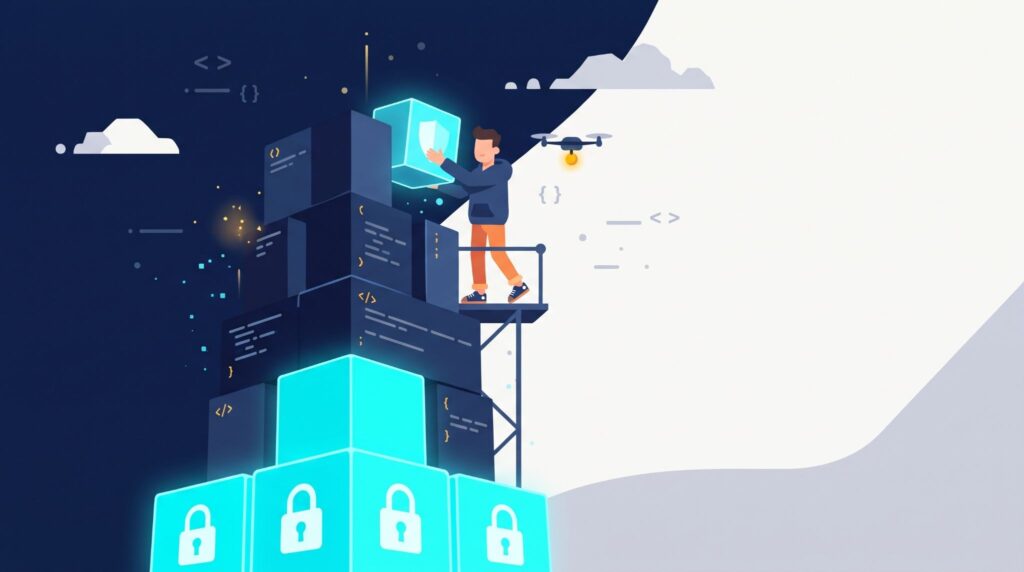
So, what are secure coding practices? They involve writing software with security in mind. Developers consider what could go wrong and take steps to reduce those risks while building an application.
Take a login page as an example. It may accept the correct username and password, but what happens if someone tries hundreds of passwords in a row? Without limits on failed attempts, the feature may leave accounts open to automated attacks.
A safer login system can limit repeated attempts and protect stored passwords. Developers also need to check what each user is allowed to access.
The OWASP Top 10 lists common web application risks, including injection and broken access control. These examples give developers useful topics to cover in secure coding training and code reviews.
What Are the Main Secure Coding Techniques?
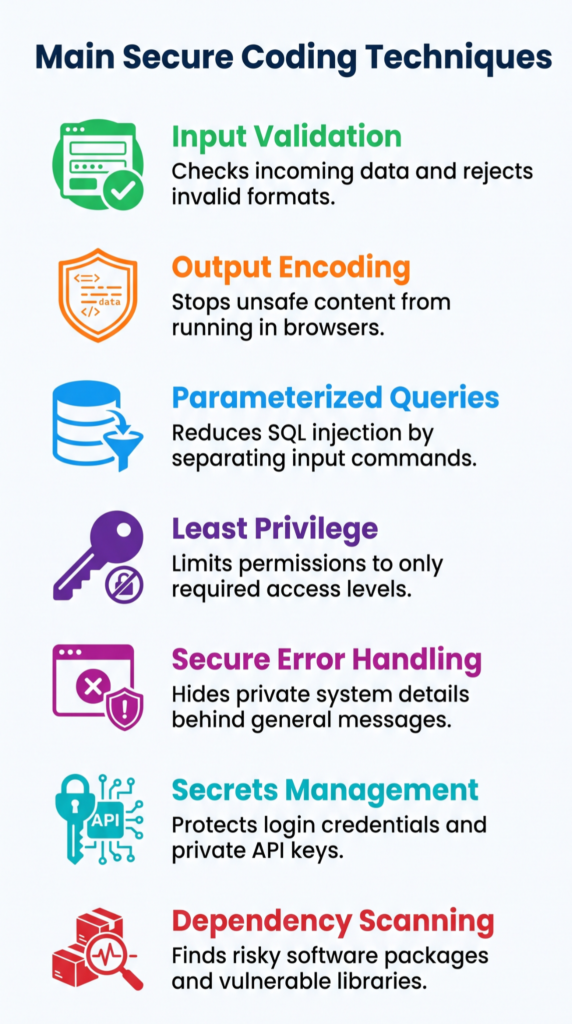
Different secure programming techniques address different risks. Some protect data entered by users. Others limit access or stop private information from appearing in error messages.
| Technique | What It Does | Example |
| Input validation | Checks incoming data | Rejects values in the wrong format |
| Output encoding | Stops unsafe content from running | Encodes comments before showing them on a page |
| Parameterized queries | Reduces SQL injection risk | Sends user input separately from a database command |
| Least privilege | Limits access | Gives an account only the permissions it needs |
| Secure error handling | Hides private system details | Shows a general error instead of a stack trace |
| Secrets management | Protects login details and keys | Keeps API keys out of source code |
| Dependency scanning | Finds risky software packages | Checks libraries for known security flaws |
How Does Input Validation Prevent Attacks?
Input validation checks data before an application uses it. The application can check its format, type, length, and allowed values.
Say a registration form asks for a person’s age. It should reject letters, negative numbers, and values outside the accepted range. The same checks should apply when an application receives data through an API.
But checking data in the browser is not enough. Attackers can bypass those checks and send requests directly to the server. The server must check the data too.
Allowlist validation can help. It accepts values that meet set rules instead of trying to block every possible harmful input.
Why Is Output Encoding Important?
Output encoding changes data into a format that a browser can display safely. It helps protect websites from cross site scripting (XSS). This attack happens when a browser treats untrusted content as code and runs it.
Imagine a website with a comment section. Someone could submit harmful code instead of an ordinary comment. If the site displays that content without proper encoding, another visitor’s browser might run it.
The right encoding method depends on where the data appears, such as in HTML or a URL. Developers should use safe output features provided by their framework. Input checks alone cannot stop every XSS attack.
How Can Developers Prevent SQL Injection?
SQL injection happens when user input changes a database command. It can expose, change, or delete data if the application handles that input unsafely.
Parameterized queries help prevent this. They keep the user’s input separate from the SQL command, so the database treats it as data rather than an instruction.
Database permissions matter as well. An application should only have the access it needs to do its job. That way, if another weakness is found, the damage may be limited.
What Are Examples of Secure Coding Practices?
Secure coding techniques are methods developers use while building and testing software. They help protect user accounts, private data, and important features.
Think about an API that lets customers view their account details. The application must check who is making the request. It also needs to confirm that the person has permission to see that account. Hiding a button on the page will not do the job. The API needs its own access checks.
Here are some other examples:
- Password storage: Use a password hashing method such as Argon2id, bcrypt, or PBKDF2 with a unique salt. Never store passwords as plain text.
- Session management: Use unpredictable session tokens and set cookie options such as Secure, HttpOnly, and SameSite.
- API authorization: Check user permissions on the server before allowing access to protected features.
- Data encryption: Protect sensitive stored data and use TLS when sending it over a network.
- Error handling: Show users a general error message. Keep technical details in protected logs.
- Secrets management: Keep API keys and private keys out of source code.
- Dependency management: Update libraries with known flaws and remove packages that are no longer supported.
- AI generated code review: Check generated code for unsafe functions, exposed credentials, and missing access checks before using it.
Small mistakes can leave gaps in an application. A page might hide private details, for example, while its API still lets someone request them directly. That is why code reviews should cover both.
What Are Secure Programming Practices?
Secure programming practices guide developers through each stage of building software. Security needs attention during planning, design, coding, testing, and later updates.
A team can follow a process like this:
- Set security requirements: Decide what data needs protection and what each user can do.
- Look for possible threats: Check where attackers might enter the application and what they could target.
- Plan a secure design: Limit access and use more than one layer of protection.
- Follow coding rules: Use safe methods for handling input, passwords, and errors.
- Review code changes: Check sensitive parts of the application before merging new code.
- Run security tests: Test for weaknesses during development and before release.
- Update the application: Fix known flaws and review new security risks.
“Following these practices should help software producers reduce the number of vulnerabilities in released software.” – National Institute of Standards and Technology (NIST), Secure Software Development Framework (SP 800-218)
Security checks should not be left until the end. A flaw found late in development may affect several features, which can make the fix harder.
What Are Secure Coding Standards?
Secure coding standards are written rules that explain how developers should write and review code. They help everyone on a team follow the same security requirements.
For example, a team may require developers to use parameterized queries for database operations. It may also ban passwords and API keys from source code.
Useful standards cover input validation, output encoding, user permissions, password storage, API security, and error handling. They should also explain when developers need to review code or run security tests.
Automated tools can check for many common issues. But they cannot understand every part of an application. Developers still need to review how features work and who can access them.
“Secure Code Review is the process of manually examining source code to identify security vulnerabilities that automated tools often miss.” – OWASP, Secure Code Review Cheat Sheet
What Are Secure Coding Certifications?
Secure coding certifications test a person’s knowledge of software security. They can support professional learning, but a certificate does not prove that someone can write secure code in every situation.
One recognized option is the Certified Secure Software Lifecycle Professional (CSSLP). It covers security during software planning, design, development, testing, and maintenance.
Developers can also learn through application security courses, coding workshops, and training for specific programming languages. Practical exercises are useful because they let learners work with insecure code and practice fixing it.
How Can Organizations Improve Secure Coding?
Source: Computerphile
Organizations can help developers write safer code by setting clear rules and giving teams time to practice. Applying secure coding practices as part of the usual development process helps teams catch weaknesses before release.
A good place to begin is with problems found in past code reviews. If developers often miss access checks, for example, the next training session can focus on server side permissions.
Organizations can also:
- Create coding checklists for the languages and tools their teams use.
- Add code and dependency scans to development pipelines.
- Review changes that affect private data or user permissions.
- Track how long serious security flaws take to fix.
- Use penetration testing to find problems that automated tools may miss.
- Update coding rules when new risks appear.
AI generated code needs the same care as code written by a person. Developers should check it for unsafe functions, missing permission checks, and exposed credentials before adding it to an application.
FAQs
How Should Teams Review Security in Older Code They Did Not Write?
Start by identifying the parts of the application that handle sensitive data, user accounts, or important business operations. Review these areas for known vulnerabilities, outdated dependencies, and missing authorization checks. A secure code review can help teams find weaknesses even when the original developers are unavailable. Record each issue, assess its risk, and assign a developer to fix it.
How Can Developers Tell Whether a Security Scanner Finding Is Real?
Developers should not treat every scanner alert as a confirmed vulnerability. They should reproduce the issue, inspect the affected code, and determine whether an attacker could exploit it. SAST, DAST, and dependency scanning detect different types of weaknesses, so teams should review their findings together. Developers should also document false positives and adjust scanning rules to reduce repeated alerts during future security checks.
What Should Teams Check Before Adding an Open Source Dependency?
Before adding a package, check whether its developers still maintain it and release security updates. Review its known vulnerabilities, source, permissions, and role in the application. Dependency scanning can identify reported issues, but developers must also assess how the package is used. Keep an inventory of third party libraries, remove unused packages, and update dependencies through tested changes before each production release.
How Should a Team Prioritize Vulnerabilities When It Cannot Fix Everything at Once?
Teams should rank vulnerabilities by severity, exposure, and the potential damage to users or business operations. A flaw that exposes customer records may need attention before a minor issue in an internal feature. Assign an owner and a target date to each finding. After applying a fix, test the affected code again and check for similar weaknesses elsewhere.
When Should Security Requirements Be Agreed on During a New Project?
Teams should define security requirements before developers begin implementation. They need to decide who can access each feature, what data the application can collect, and how sensitive information will be protected. Threat modeling can help identify possible attacks during the design stage. Product owners, developers, and security staff should document these decisions and turn them into checks for code reviews and release testing.
Build Safer Applications With Secure Coding Training
A small coding mistake can leave an application open to attacks or expose sensitive user data. Fixing these problems after release can take more time and effort. That’s why developers need to think about security while writing code, not just before launch.
The Secure Coding Practices Bootcamp gives developers a chance to put these skills into practice through hands-on training. Over two days, participants learn about the OWASP Top 10, safer coding techniques, and ways to prevent common vulnerabilities.
They also receive practical labs, session replays, cheatsheets, and a completion certificate. With online and in-person sessions available, teams can choose the format that works best for them. Join the Secure Coding Practices Bootcamp to improve your team’s coding skills and make application security part of everyday development.
References
- https://csrc.nist.gov/pubs/sp/800/218/final
- https://cheatsheetseries.owasp.org/cheatsheets/Secure_Code_Review_Cheat_Sheet.html
Related Articles
- https://securecodingpractices.com/secure-coding-techniques/
- https://securecodingpractices.com/secure-coding-training/
- https://securecodingpractices.com/what-is-code-security/
- https://securecodingpractices.com/secure-programming-practices/
- https://securecodingpractices.com/secure-programming-techniques/
- https://securecodingpractices.com/what-is-secure-coding-practices/
- https://securecodingpractices.com/secure-coding-standards/
- https://securecodingpractices.com/secure-coding-certifications/
- https://securecodingpractices.com/secure-coding-practices-examples/