
Skip to content
No results
  • Home
  • About Us
  • Blog
  • Bootcamp
  • Contact Us
Secure Coding Practices
  • Home
  • About Us
  • Blog
  • Bootcamp
  • Contact Us
Secure Coding Practices
  • Vibe Coding, Effective Prompting Techniques

Write Better Code Faster With Effective Prompting Techniques
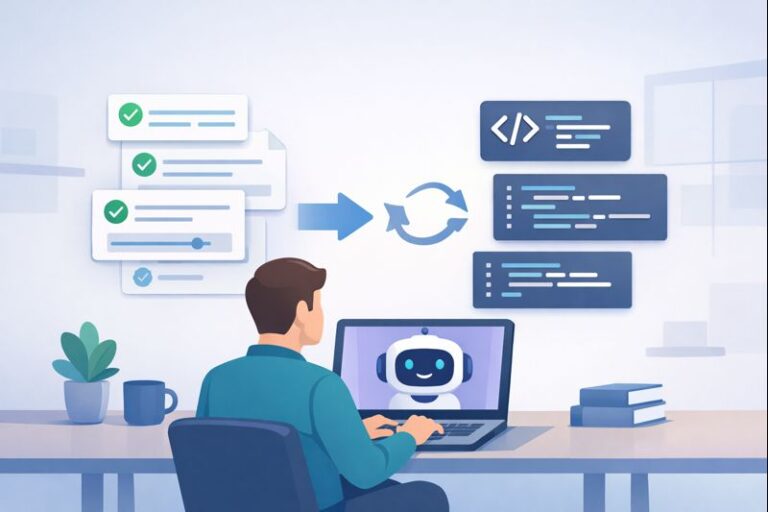
[Effective Prompting Techniques]: A programmer interacting with a chatbot, symbolizing the power of clear communication.

You can often get AI to write solid, secure code, but only when you give it clear, well-structured instructions and still review the results. We’ve learned this first-hand while training developers: vague prompts tend to produce generic, brittle code, while…


  • Leon I. Hicks
  • January 2, 2026
  • Essential Tools and Editors

How to Choose the Right AI Tool for Your Project Needs

The image features a person interacting with a digital interface that showcases multiple AI tool options, emphasizing a structured decision-making approach.

You pick the right AI tool by starting from your project, not from the tool. Most teams do the opposite: they watch a shiny demo, then twist their problem to fit what they just saw. A better way is quieter…

  • Leon I. Hicks
  • December 31, 2025
  • Essential Tools and Editors

Why Integrated AI Editors Are More Efficient for Developers

A user interacts with a laptop while dynamic coding elements circulate around them, showcasing the power of AI in simplifying complex tasks and improving workflow.

An integrated AI editor turns that blinking cursor from stress into motion. It doesn’t just finish your lines, it reads your code, follows your direction, and works beside you. Drafts come together faster, errors surface earlier, and dull, repeated edits…

  • Leon I. Hicks
  • December 31, 2025
  • Essential Tools and Editors

What Are The Best Anthropic Models for Developers: A Practical Guide

A developer sits at a modern desk, analyzing performance metrics for Anthropic's AI models on a laptop screen.

You should choose the model that matches how you actually build, not what sounds fancy on paper. If your work leans toward hard design questions, unclear specs, or tricky debugging across services, Claude Opus 4.5 is the one that keeps…

  • Leon I. Hicks
  • December 30, 2025
  • Essential Tools and Editors

How to Set Up OpenAI for Code Generation in 15 Minutes

A laptop displaying a coding interface with highlighted text, set against a background of a tidy workspace, alongside a checklist for setting up OpenAI's code generation.

You can turn a plain sentence into working code with the OpenAI API if you treat the response like a rough draft you’re allowed to mark up. You send a clear request from a small Python script, the API answers…

  • Leon I. Hicks
  • December 29, 2025
  • Essential Tools and Editors

Comparing Cursor vs Traditional VS Code Setups in Real Use

Minimalist split-screen illustration showing a developer at a desk with a blue interface on the left and a pink interface on the right.

Cursor is better if you want AI built into every part of your coding flow, while traditional VS Code shines if you like to hand‑pick tools and wire everything up yourself. Cursor turns refactoring, boilerplate, and cross‑file changes into a…

  • Leon I. Hicks
  • December 28, 2025
  • Essential Tools and Editors

How to Use Voice Prompts for Coding, Without Overthinking

A minimalist illustration of a woman sitting at a white desk with a laptop, featuring a voice command icon in a speech bubble.

You can absolutely write real code just by talking, and modern AI is finally good enough to make that practical. Instead of pecking at keys, you describe what you want, a function, a refactor, a test suite, and your tools…

  • Leon I. Hicks
  • December 27, 2025
  • Essential Tools and Editors

What AI Chatbots Are Best for Programming Today?

A man sitting at a desk typing on a laptop with various app icons floating in the air around him.

You’re probably wondering which AI chatbot actually helps you ship better code, not just toy examples. The short answer: Claude 3.5 Sonnet is currently the strongest for low-error, production-ready code, especially when problems involve multi-step logic or tricky edge cases.…

  • Leon I. Hicks
  • December 26, 2025
  • Essential Tools and Editors

A Complete Review of the Windsurf Editor, No Hype

A clean, blue-toned illustration of a laptop running Windsurf Editor on a desk with a notebook and coffee.

Windsurf is an AI‑native IDE built to stay with you through the whole coding journey, not just autocomplete a few lines. Instead of tossing one‑off suggestions, it uses Cascade, an autonomous AI agent that tracks context across your files, terminal,…

  • Leon I. Hicks
  • December 25, 2025
  • Essential Tools and Editors

How to Effectively Use the Cursor Code Editor Smoothly

A modern illustration of a person coding on a laptop, representing the integration of human creativity and AI assistance.

You can cut your coding time in half with Cursor by treating it less like a text editor and more like a quiet coworker who already read your whole codebase. This AI-first fork of VS Code doesn’t just autocomplete lines,…

  • Leon I. Hicks
  • December 24, 2025
Prev
1 … 31 32 33 34 35 36 37 … 60
Next
Secure Coding Practices

Join a thriving global community of developers dedicated to writing cleaner, safer, and more resilient code. Whether you're just starting out or leveling up your skills, this bootcamp gives you the practical knowledge and hands-on experience needed to identify vulnerabilities, apply secure coding principles, and build software that stands up to real-world threats.

Join the Next Bootcamp →

  • About us
  • Blog
  • Bootcamp
  • Disclaimer
  • Contact us
  • Privacy Policy
  • Terms & Conditions

Copyright © 2026 SecureCodingPractices.com — All rights reserved.